You tap the spot on the pitch where the shot is taken: the app asks how it ended, who made the assist and whether the move came from open play, a dead ball or a counter-attack. When the match ends, the report is already done.
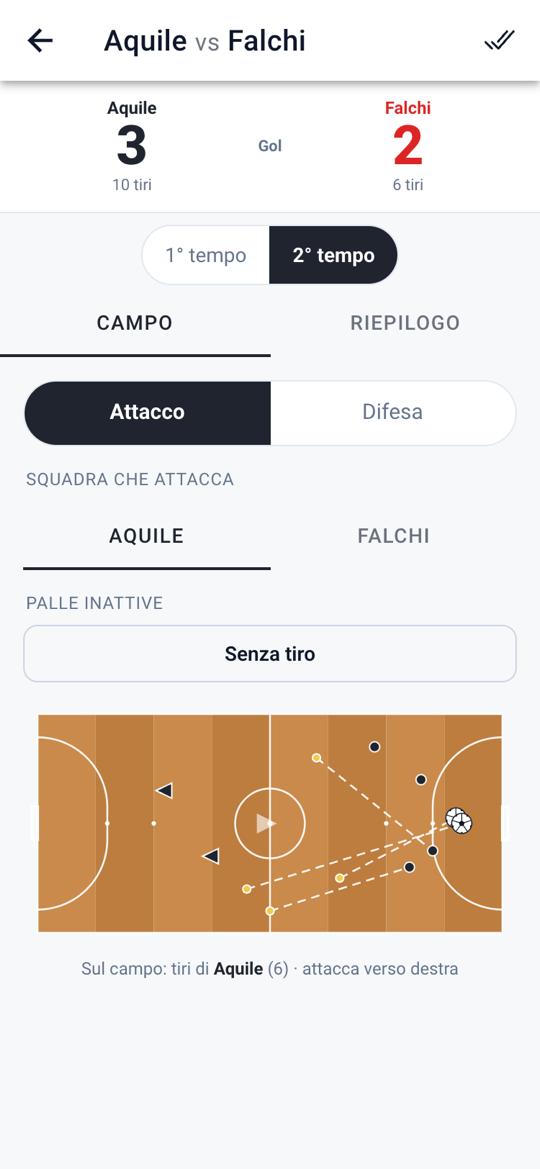
Every extra tap during the match is an action at risk of slipping by. That is why recording an event takes a few taps, the targets are large and the screen stays readable in bright sun.
The spot you tap is the position of the shot. The app asks only what is essential, in order: who shot, how it ended — goal, saved, deflected or off target — and whether there was an assist, which you mark with a second tap.
After the outcome the app asks how the move began. If it is a counter-attack you also mark the pressing point, that is where you won the ball back. That way, at full time, you know how many goals come from open play, dead balls and counter-attacks.
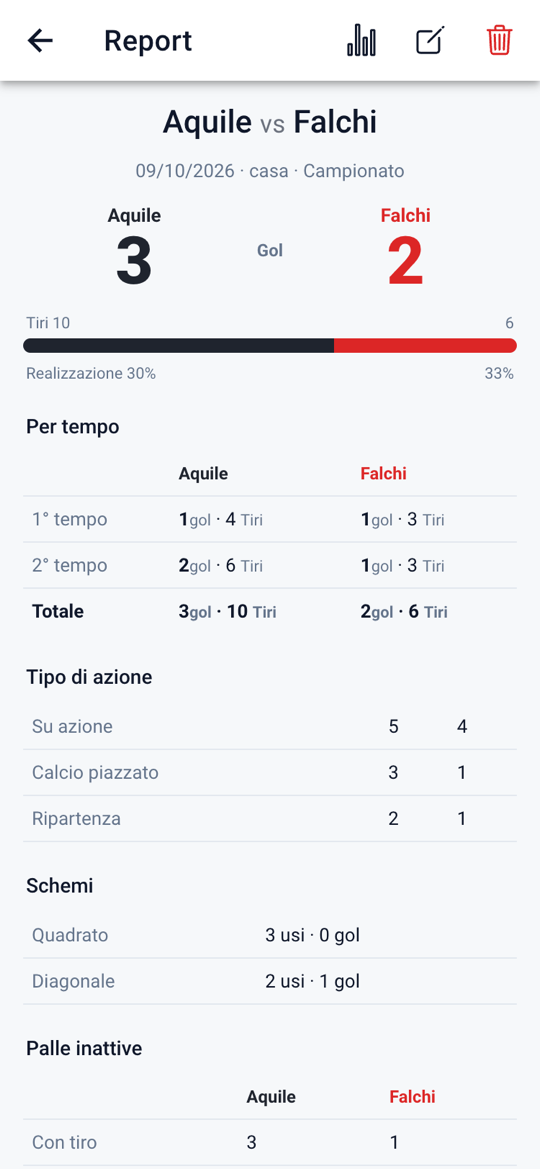
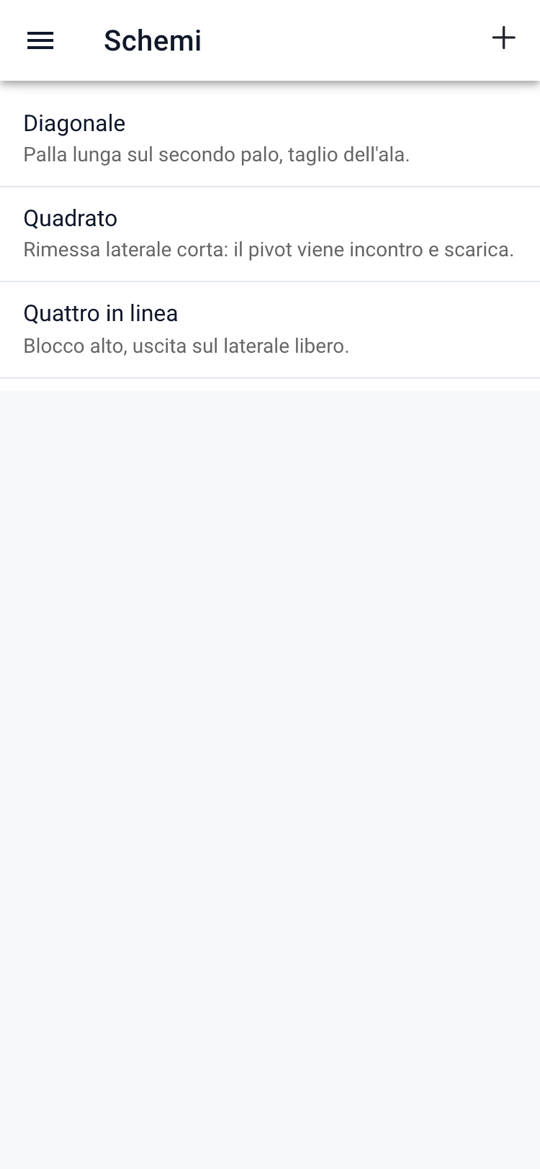
Give your dead balls a name — Square, Diagonal, Flat four — and add notes. During the match you pick the routine by tapping its name only; the report counts how many times you used it and with how many goals. For the opponent the routine is never asked.
Forty metres by twenty, with the D-shaped area and the two penalty marks at 6 and 10 metres: not a shrunken football pitch. At kick-off you choose which goal your team attacks, and the pitch turns by itself, in the second half too.
Every event knows which half it happened in. The summary and the report show first, second and total: you see at once in which half the match turned. The minute is optional: you write it if you need it and correct it whenever you like.
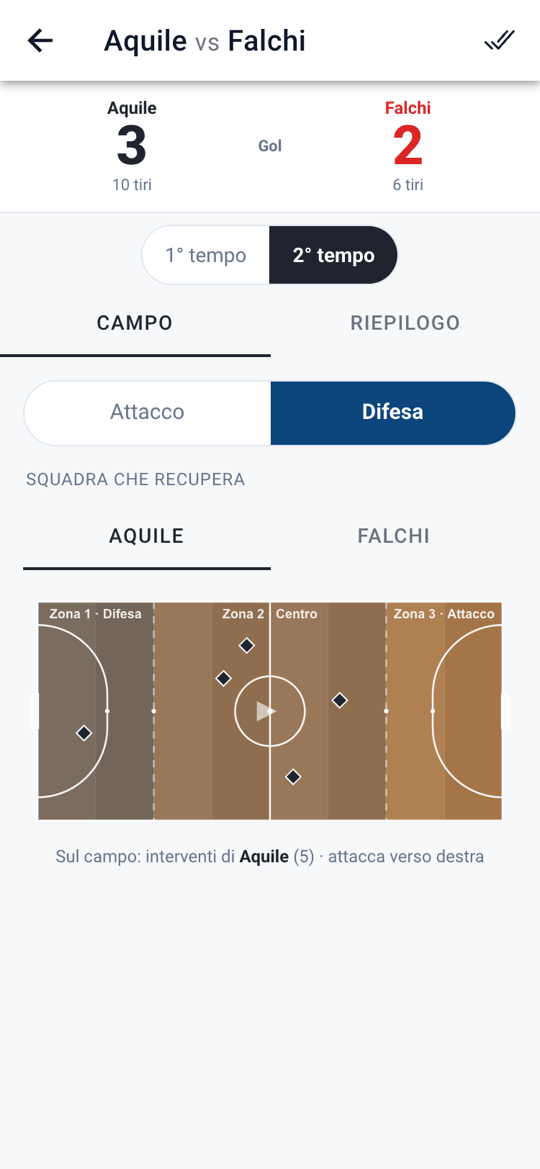
One tap, no questions: mark where you won the ball back. The pitch is split into three zones of 10, 20 and 10 metres, numbered from your own goal: zone 1 defence, zone 2 midfield, zone 3 attack. Winning the ball in zone 3 is high pressing, in zone 1 it is defending deep.
Match numbers, split by half, shot map with assists and counter-attacks, routine effectiveness: one page per team, ready to print or to send to the coach. Or you export just the image of the pitch, to forward it in a chat.
No signal? MatchAnalyzer does not need one: everything is saved on the device as you record it.
At the end of every match the app saves a copy of all your data by itself, in a folder that stays where it is even if the app gets uninstalled by mistake. The last ten copies are kept there: any one of them restores everything. On iPhone that folder does not exist: there you make a backup whenever you want, from the Import/Export page.
The screens show a sample match with made-up data.
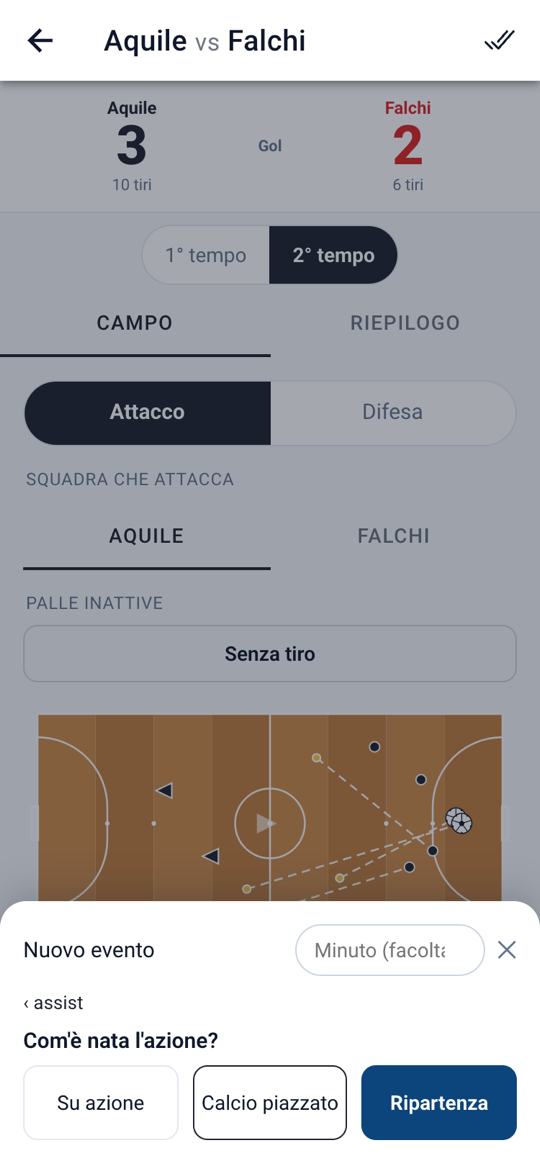
Forty metres by twenty, D-shaped goal area, first penalty mark at 6 metres and second at 10. The app draws and measures everything with the real dimensions, so the position you tap is where it happened.
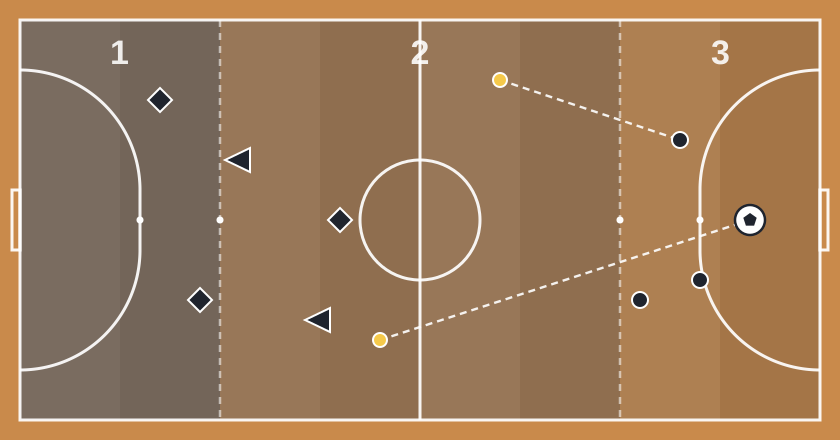
The pitch is read in three zones numbered from your own goal: two end zones of 10 metres and a central one of 20. The borders fall on the second penalty mark, a line that really exists on the pitch and that you see while you tap.
Every event asks the minimum needed to read it later, and nothing more: in defence it asks nothing.
| Event | What the app asks |
|---|---|
| Shot | Who shot, outcome (goal, saved, deflected, off target), assist, type of move |
| Our set piece | The routine, or “no routine” |
| Opponent set piece | Nothing more: the routine is never asked |
| Counter-attack | The pressing point, with one tap on the pitch |
| Dead ball without a shot | The routine tried, for your team only |
| Defensive action | Nothing: one tap and that's it |
MatchAnalyzer has no server, no accounts and no analytics. What you record stays in the phone's memory until you export or delete it yourself.
No sign-up, no login, we never ask for an email address.
No analytics, no crash reporting, no ads, no third-party SDKs.
Teams, players, matches and events live in the device's database.
Backups, PDFs and images are produced when you ask for them, and you choose where they end up.